01 / FILTER
Cut & contour
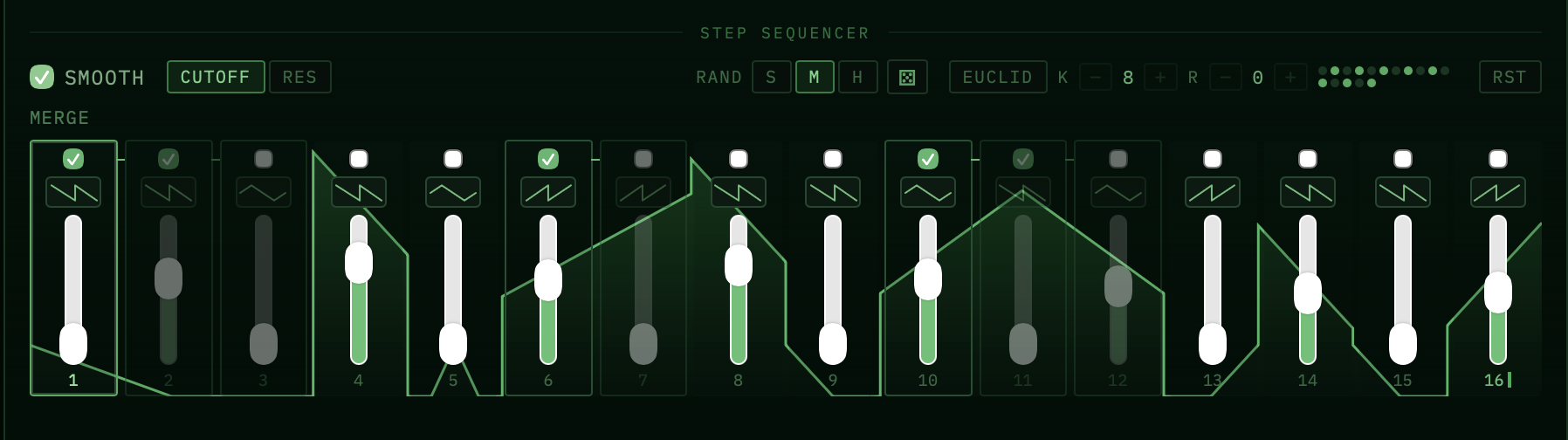
Tempo-locked cutoff and resonance movement, from subtle sweeps to sharp, living patterns.
Deetta Labs presents / a multi-effect for motion
Four sequenced sound engines, a deeply routable envelope, and a workflow made for the moment you stop repeating the same bar.
01 / The instrument
Sveifla treats rhythm as a sound-design parameter. Build movement with per-step curves, merge steps into longer gestures, and let every engine pull in a different direction.
01 / FILTER
Tempo-locked cutoff and resonance movement, from subtle sweeps to sharp, living patterns.
02 / SATURATION
Four drive characters let a sequence colour the signal from gentle warmth to hard edges.
03 / RESONATOR
Pitch-driven physical resonance turns incoming audio into bell, string, tube, and metallic motion.
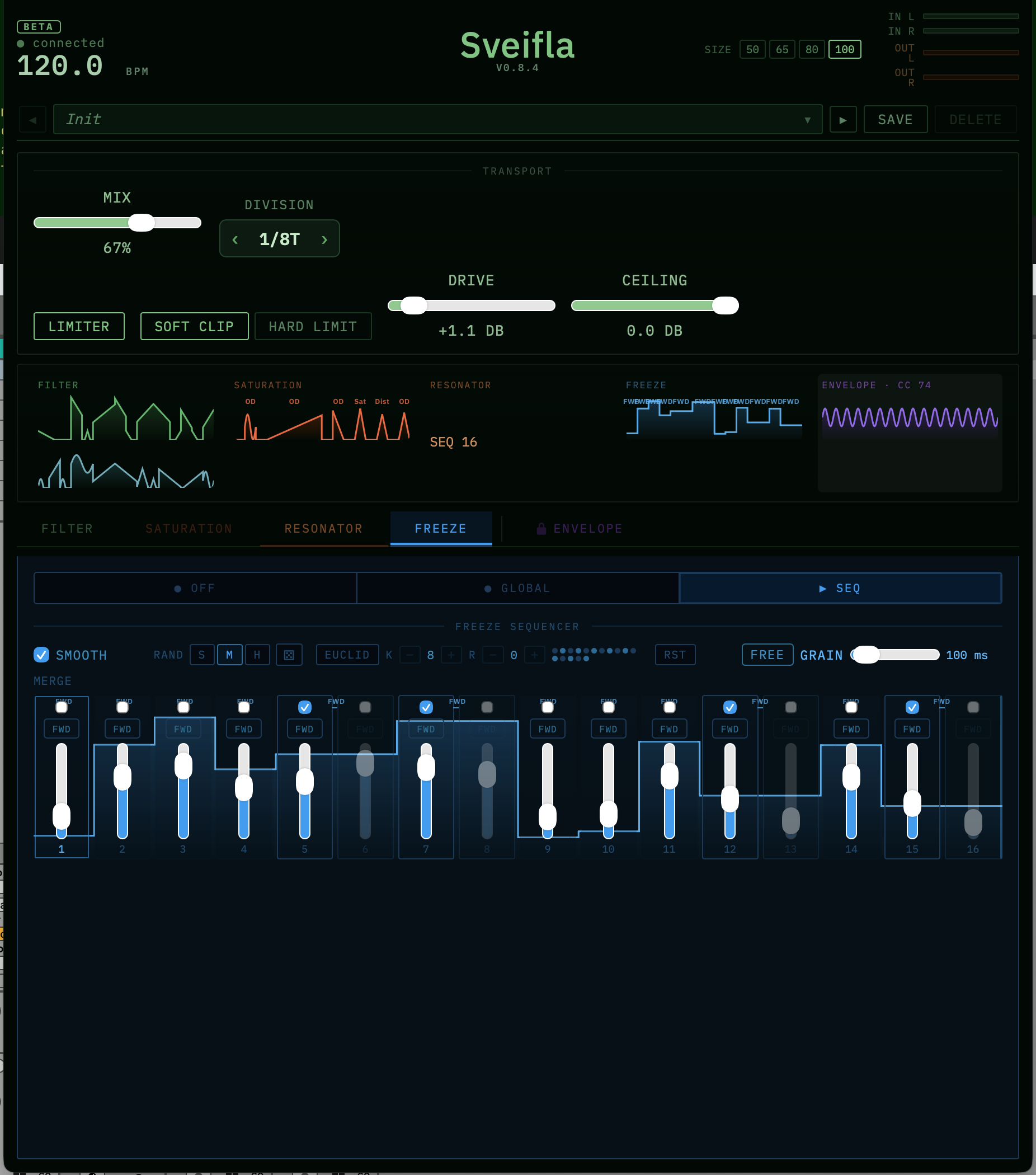
04 / FREEZE
Catch short fragments and hold them as rhythmic texture, with each step deciding when the sound moves or stays still.
02 / The interface
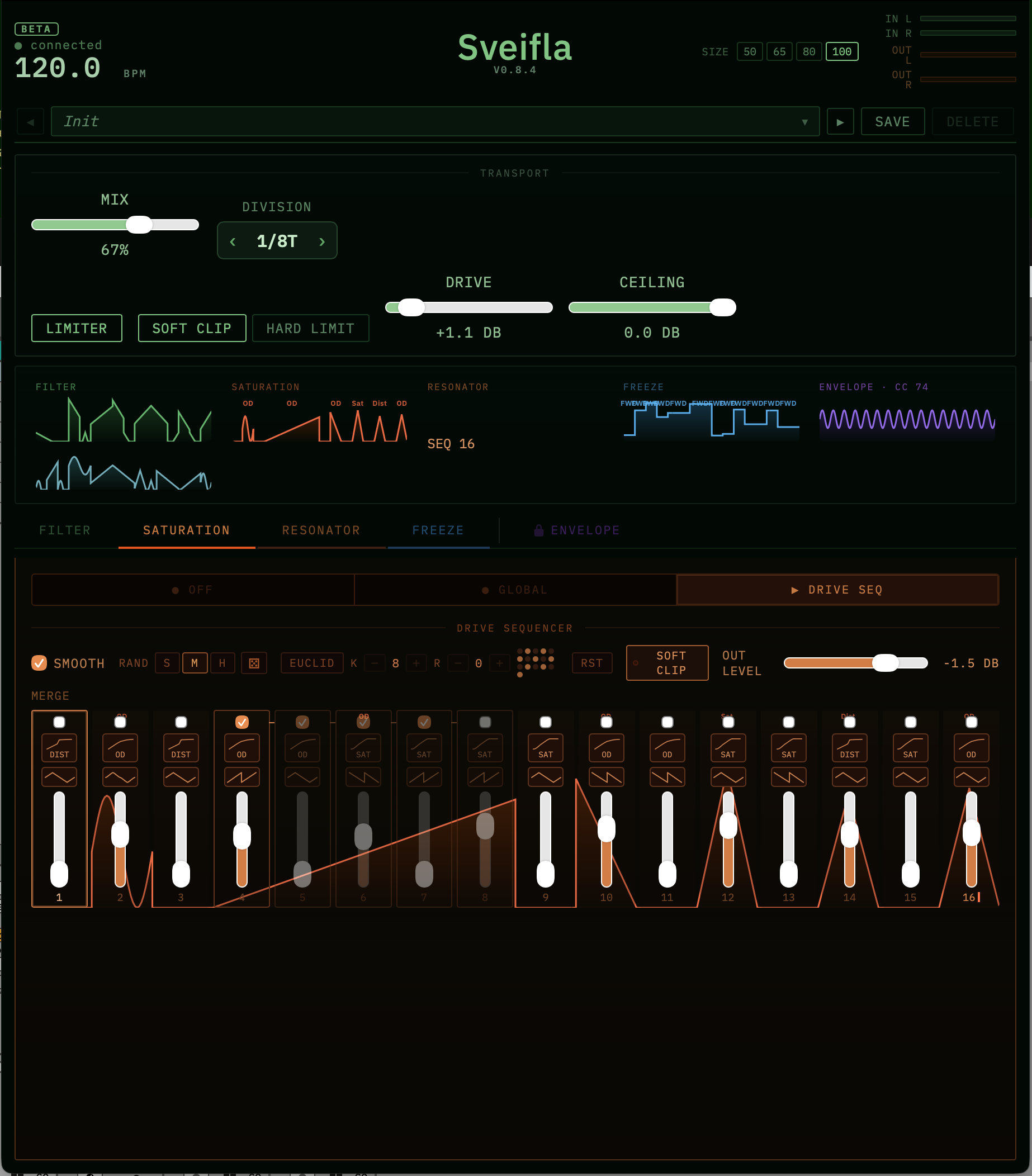
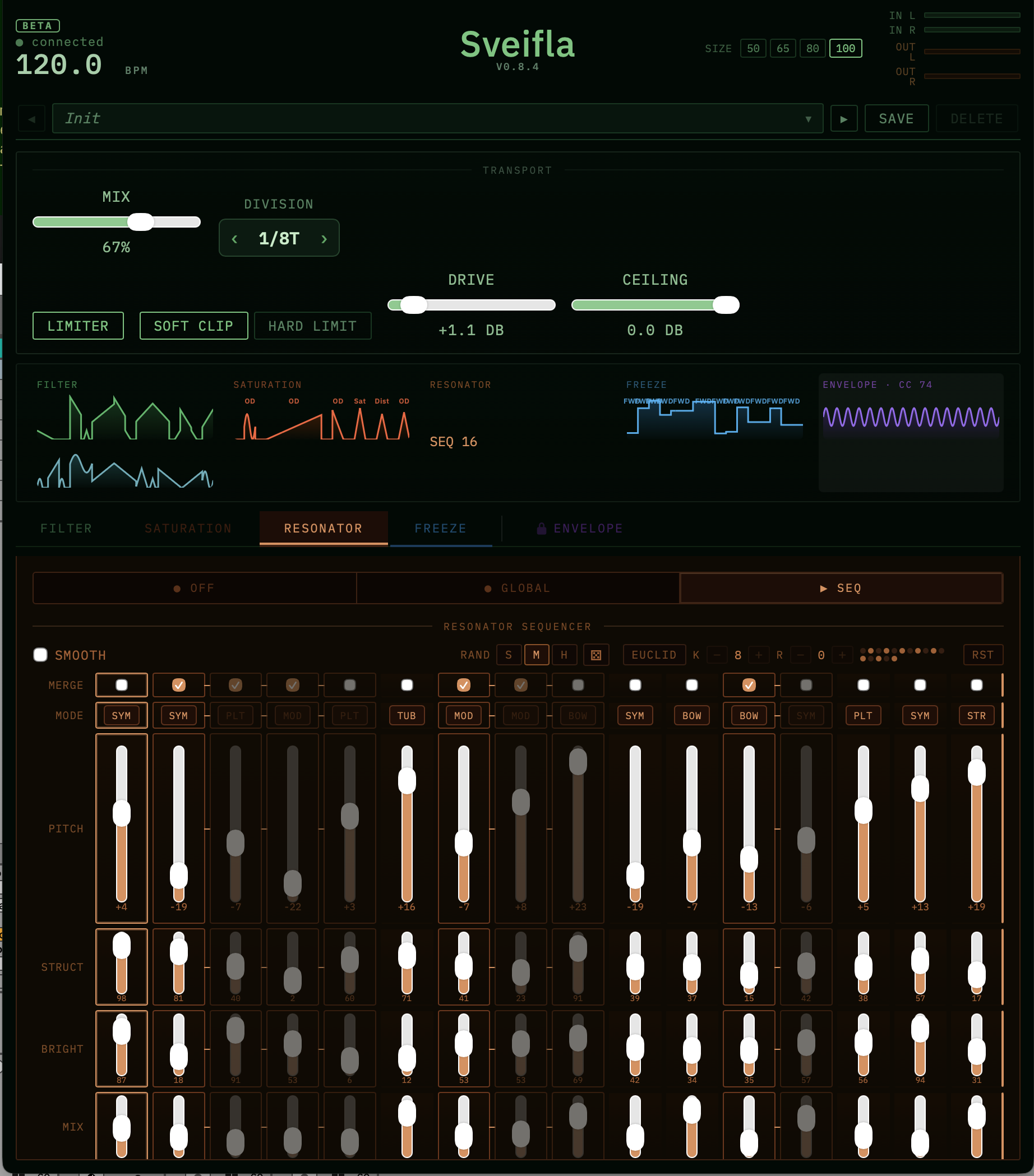
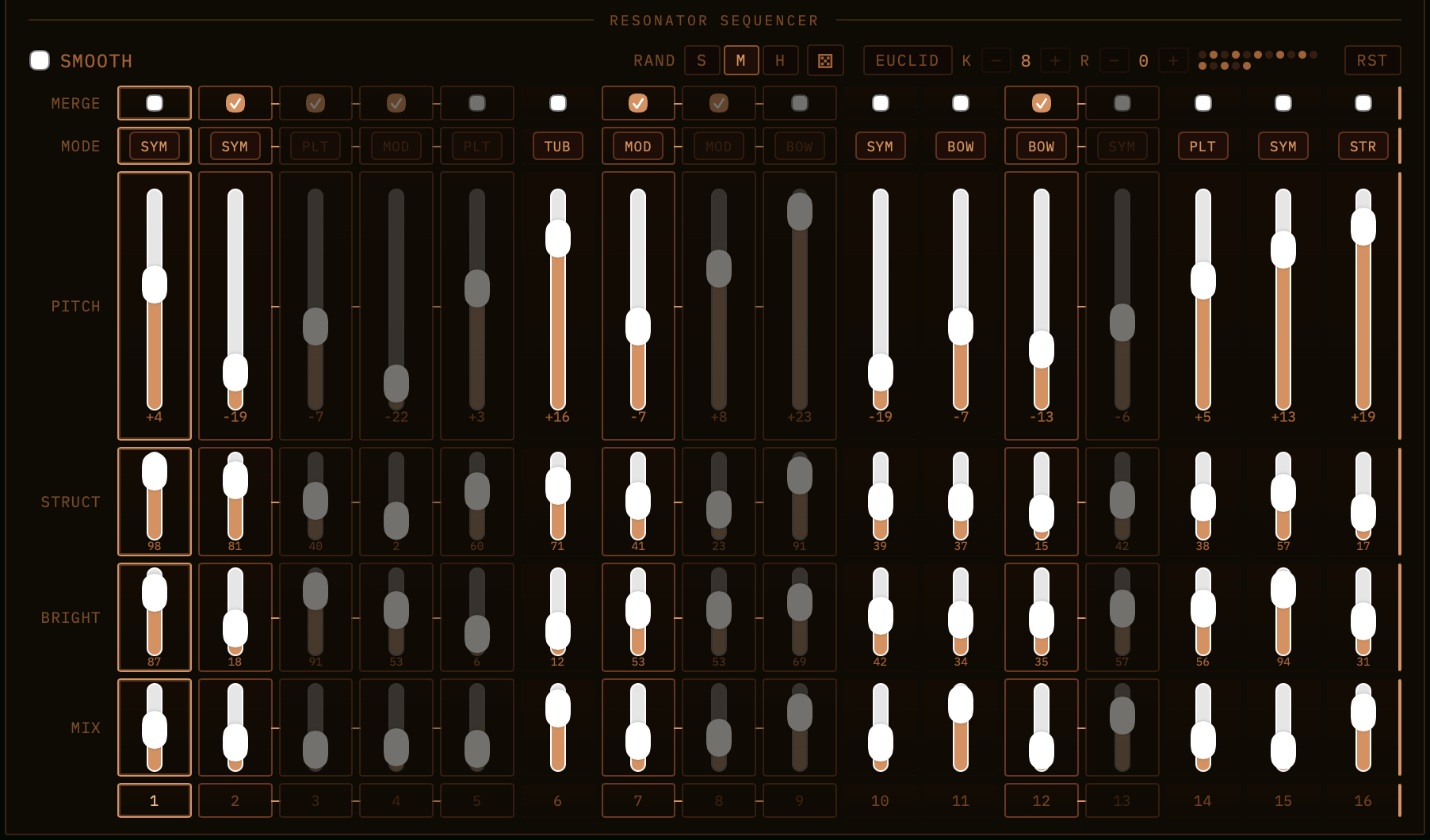
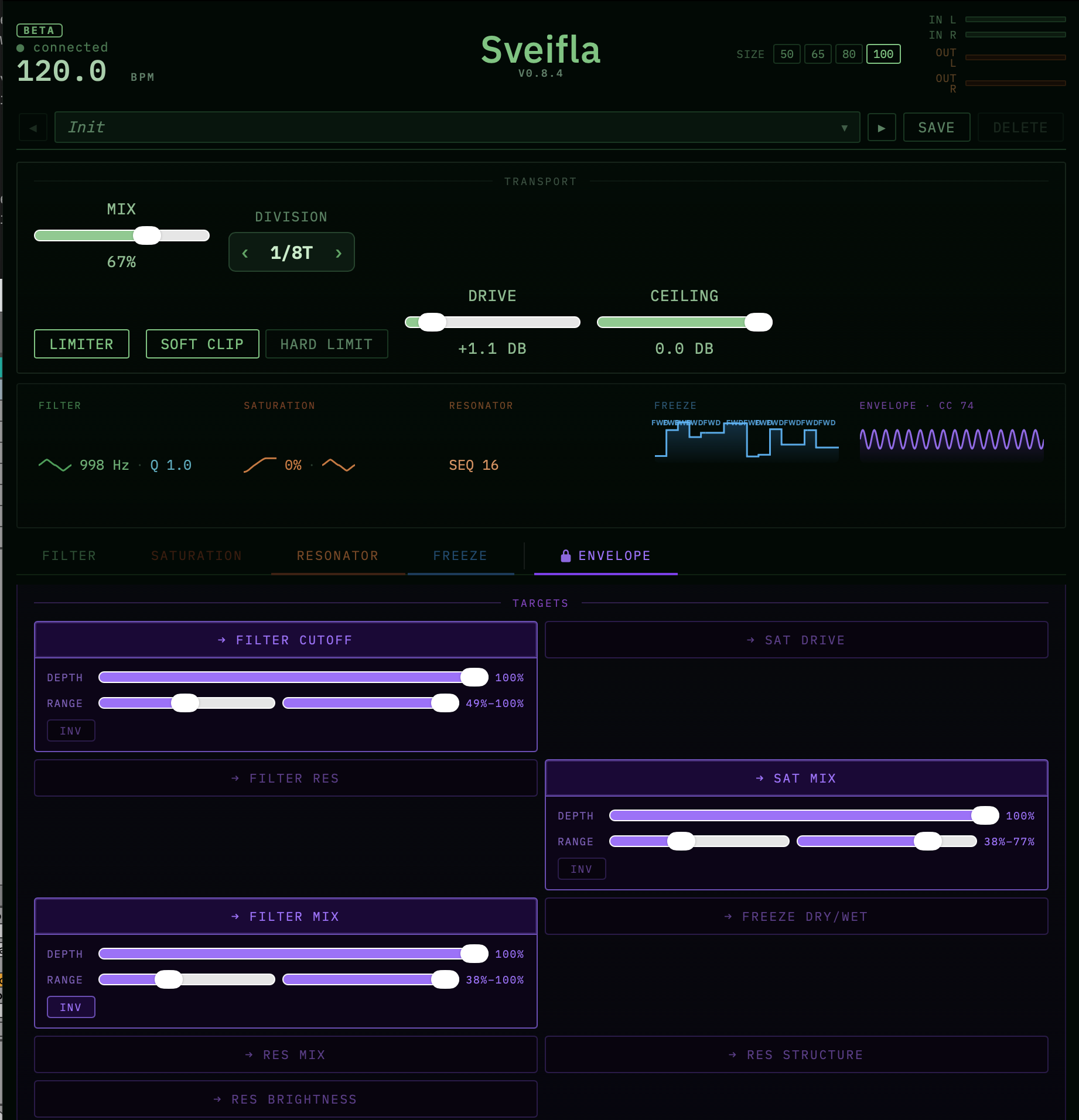
03 / One source, many outcomes
Program the envelope once, then send it where the idea needs it: filter, drive, resonant colour, wet mix, or another plugin entirely. Depth, range and inversion keep the gesture musical.
04 / Documentation
The user guide covers installation and activation, the signal chain and module order, each sequencer’s merge, swing and Euclidean tools, envelope targets and MIDI export, presets, and troubleshooting.
Ready when your loop isn’t
Sveifla is built for producers who want to write motion into a sound, not automate it in afterwards.
Get Sveifla ↗Or try it free for 7 days ↓Read the user guide ↗